

Photo injury check
Take or choose a photo. A small AI model on your phone tells a wound, burn or bruise apart in about a second. Your photo never leaves the phone.


Offline-first injury first aid for every barangay
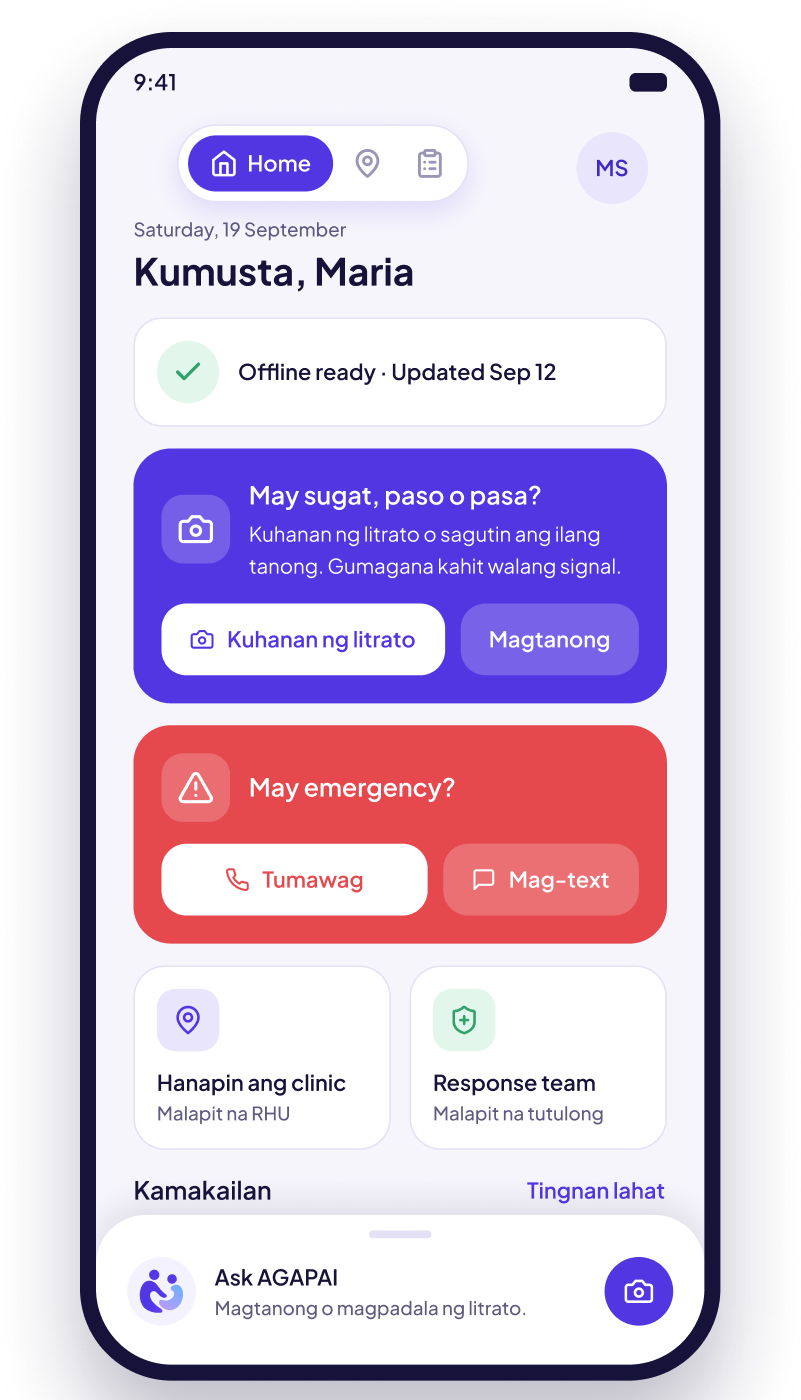
Take a photo of a wound, burn or bruise and AGAPAI checks it right on your phone, asks a few simple questions, and shows clear Do's and Don'ts. If it's serious, call, text or get a route to the nearest facility. No internet needed.
 Works offline Tagalog and English Photos stay on your phone
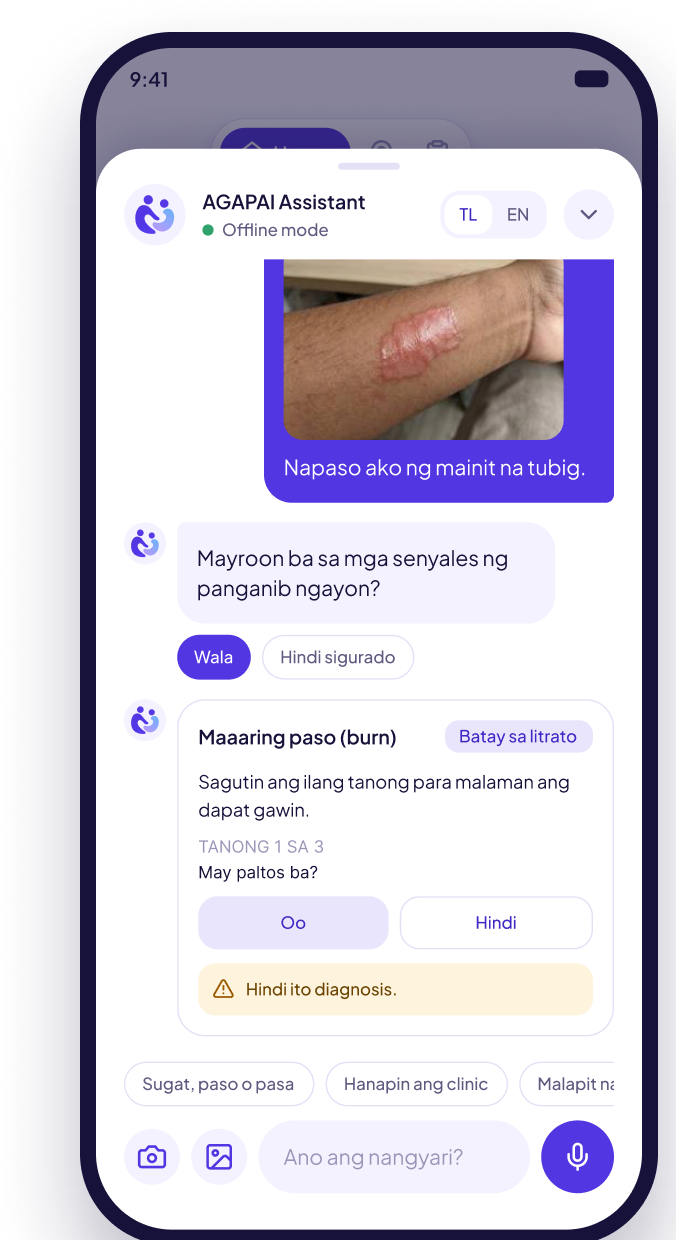
Possibly: burn (paso)
Care at home · Do's and Don'ts

No signal? No problem.
Features
Six tools in one app. Five work with no internet, and the chat adds sourced answers when you are online.
Take or choose a photo. A small AI model on your phone tells a wound, burn or bruise apart in about a second. Your photo never leaves the phone.

Danger checks come first, like bleeding that won't stop or a chemical burn. You get one tap to call, text or get a route to help.

A few tap-to-answer questions set how urgent it is. You get clear Do's and Don'ts in Tagalog or English, and when to see a health worker.

See health centers, hospitals and response teams on an offline map, with road directions that work with no signal.

With internet, ask follow-up questions in your own words. Answers come from WHO, NHS, CDC and MedlinePlus guidance, with the source shown. No diagnosis, no prescribing.

Each case is saved without your name and shared when online, so health workers see injuries and animal bites in each barangay.
How it works
Open the chat, take a photo or tap what happened, and AGAPAI guides you from there.
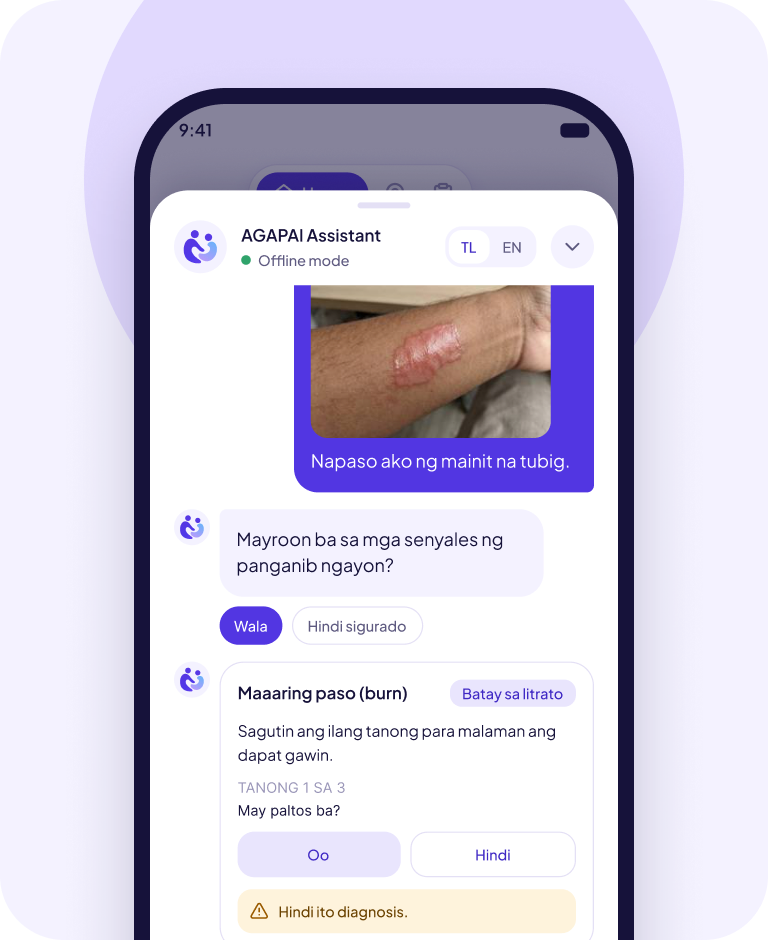
Step 1
Take a photo of the wound, burn or bruise, or tap what happened. The photo is checked on your phone and never uploaded.
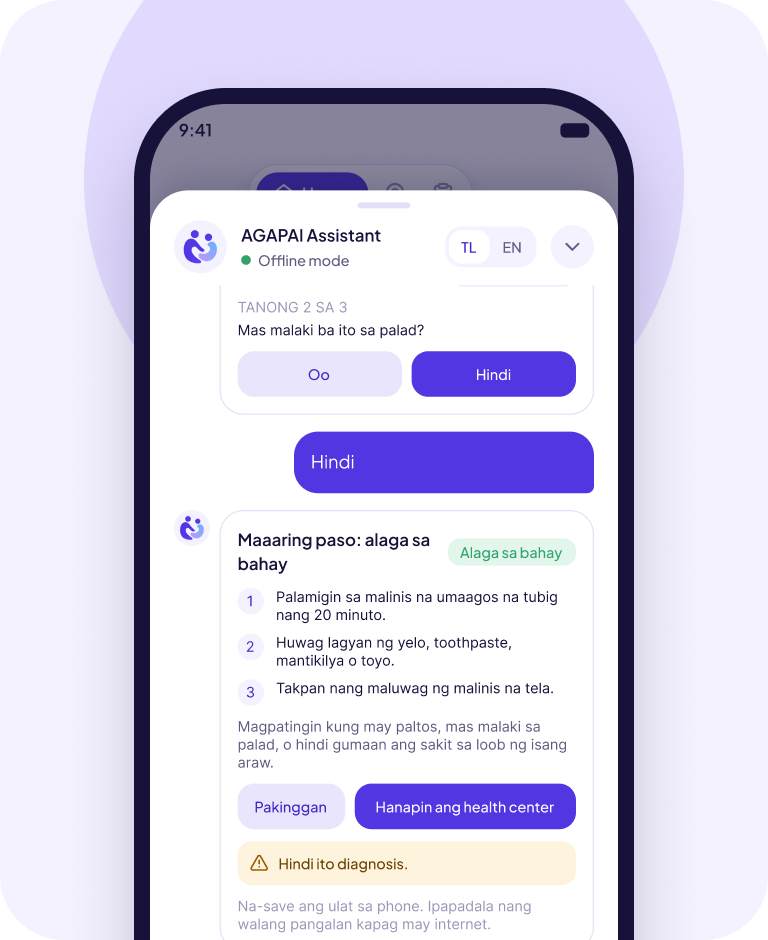
Step 2
AGAPAI checks for danger signs first, then asks a few tap-to-answer questions, like whether there are blisters or if a dog bit you.
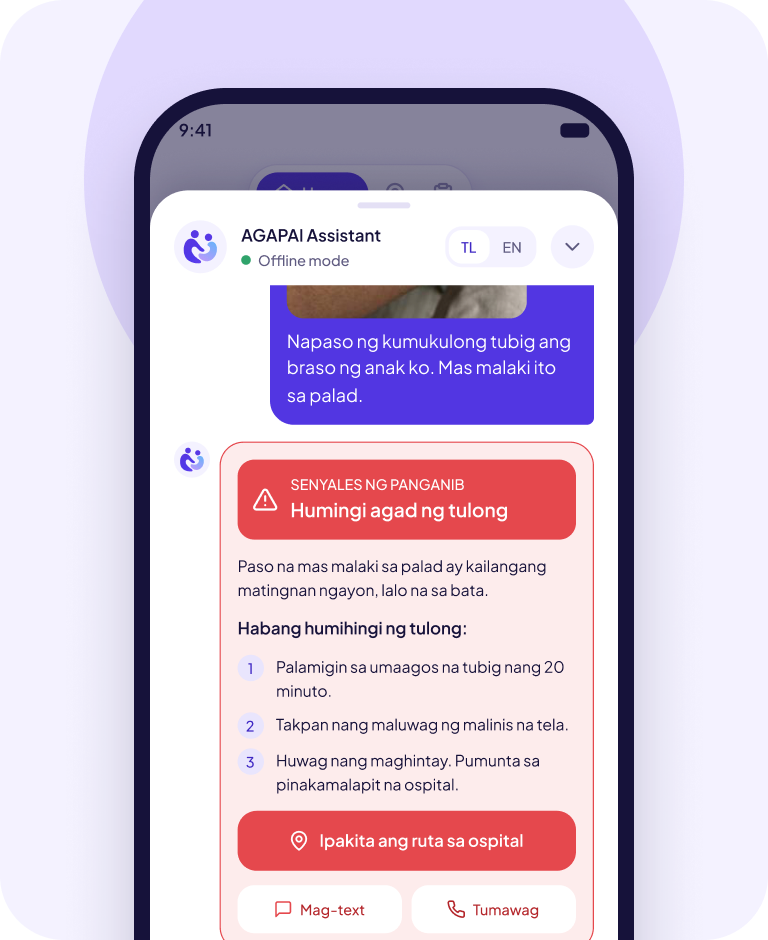
Step 3
Get clear Do's and Don'ts, advice to see a health worker, or for danger signs, one tap to call, text or get a route to the nearest facility.
For BHWs, RHUs and DOH
A web dashboard turns anonymous reports into charts, a live map and an AI summary, so your team can spot urgent cases and animal-bite clusters early and follow up.
Live map of injuries by barangay and urgency Injury types, urgency levels and an animal-bite panel Publish facilities and response teams to residents' offline maps 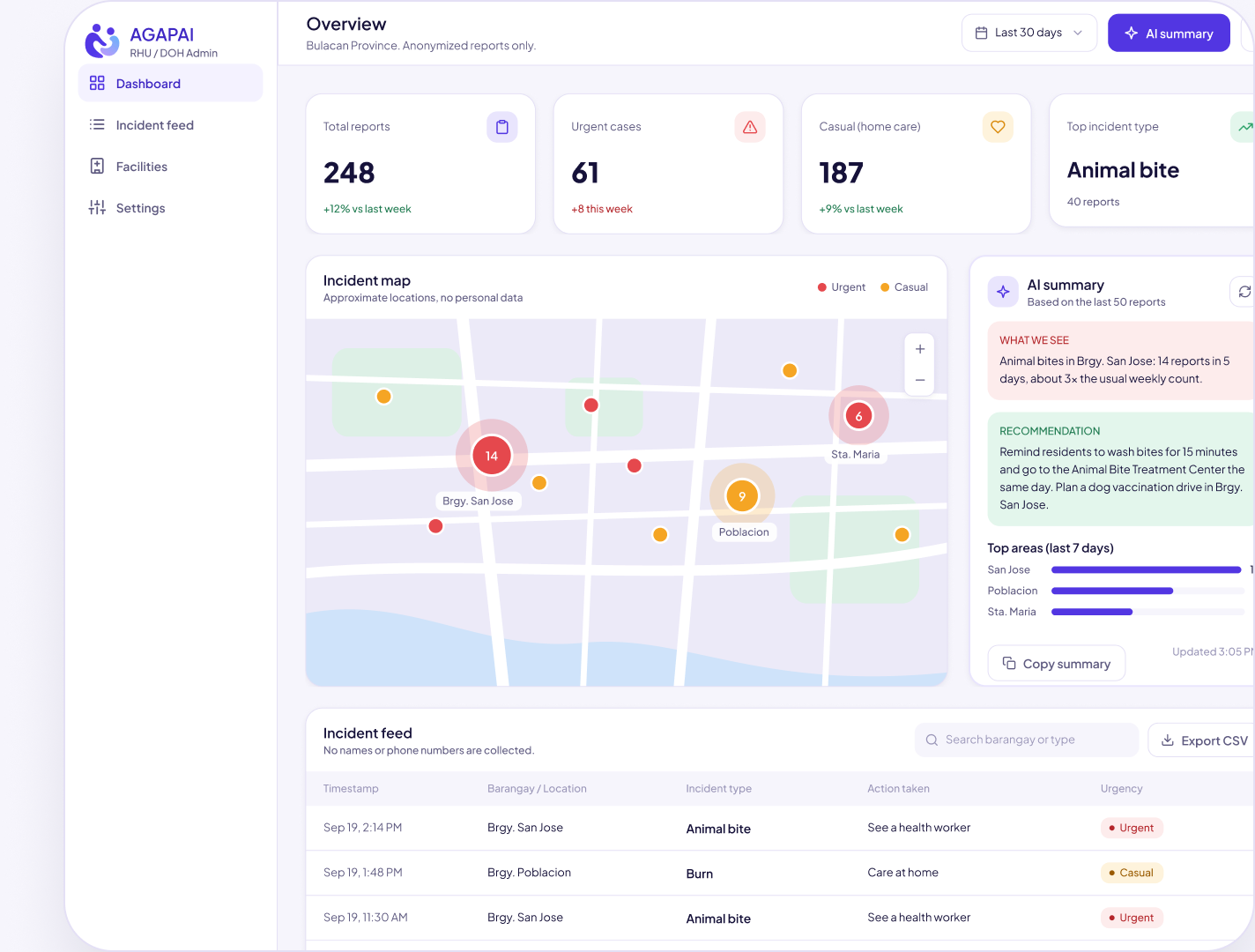
FAQ


Yes. The photo check, guided first aid, offline map, directions and facility list all come inside the app. Internet is only used to send anonymous reports and for the optional online chat.
No. AGAPAI gives guidance only, not a diagnosis. The photo check suggests what an injury may be and the questions help judge how urgent it is, but it does not replace a health worker or doctor. In an emergency, call 911.
No. Photos are checked on your phone and never uploaded, even when you are online. The online chat gets your question, never your photo, and reports shared with health offices carry no photo, name or phone number.
Tagalog and English. Pick either in the app and the questions, Do's and Don'ts and advice follow your choice. You can switch at any time in the chat.
Use Request a demo or Talk to us on this page and our team will get in touch with your barangay or health office. Approved staff then sign in to the admin dashboard.


Give every family a first-aid companion that works when the signal does not.


 Talk to us